
August 1, 2025 · Famolandia Team
Why Client-Side File Tools Are Safer
Learn how client-side file tools protect your privacy by processing PDFs, images, and text directly inside your browser without uploading files.
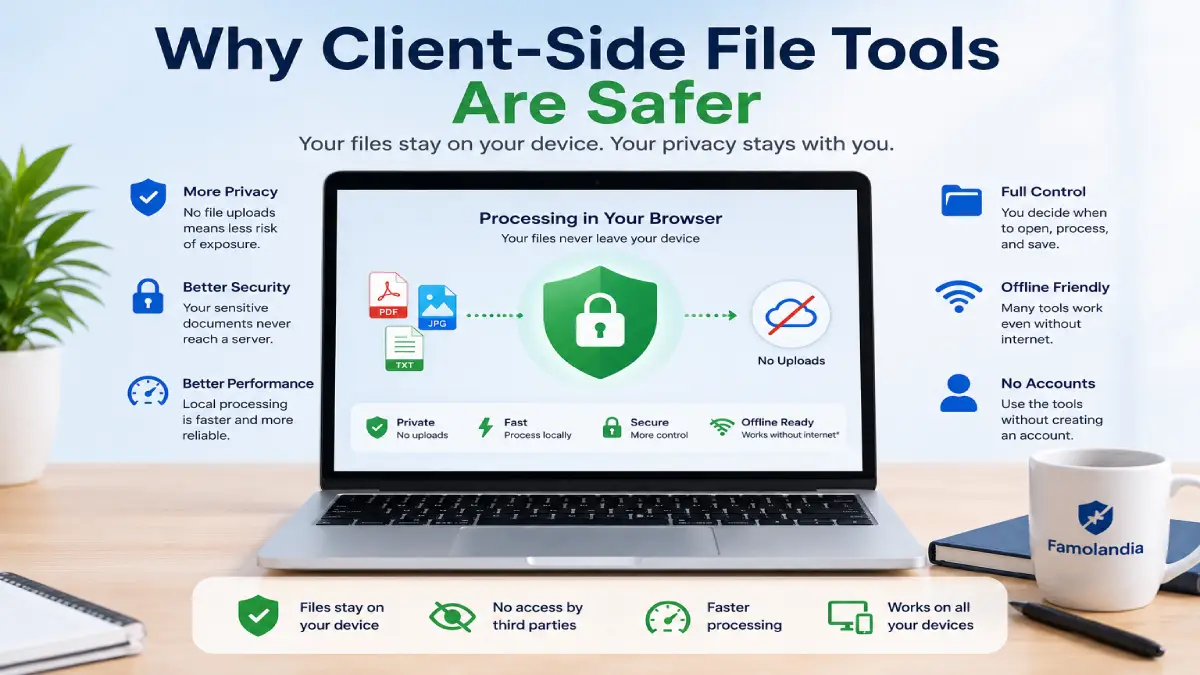
Client-side file tools process PDFs, images, and text directly inside your web browser instead of uploading your files to a remote server. This approach can provide stronger privacy, faster processing, and greater control over sensitive documents.
Every time you upload a document to a conventional online converter, you are trusting another company to receive, process, store, and delete that file correctly. Browser-based tools reduce this dependency because the main processing happens locally on your own device.
However, “client-side” does not automatically mean that every website is safe. You still need to use a trusted website, keep your browser updated, and understand what the tool actually does.
What Are Client-Side File Tools?
Client-side file tools are web applications that use technologies built into modern browsers to process files locally. Your browser reads the selected file, performs the requested operation, and creates the result without sending the original document to a conversion server.
Depending on the tool, browser-based processing may be used to:
- Extract selectable text from a digital PDF
- Compress a PDF file
- Combine JPG images into one PDF
- Crop or resize images
- Remove duplicate text lines
- Convert or organize documents
The entire process may happen inside the browser tab using JavaScript, WebAssembly, browser file APIs, and locally loaded software libraries.
Why Client-Side File Tools Are Safer
1. Your Files Do Not Need to Be Uploaded
The main privacy advantage is simple: your original document does not need to leave your device. This reduces the number of systems that can access the file.
With a traditional server-based converter, the document may travel through several systems, including upload servers, processing servers, temporary storage, logging systems, and content delivery networks. Even when a service promises automatic deletion, the user usually cannot independently confirm every stage of that process.
With a genuine client-side tool, the browser receives the file from your own device and processes it locally.
2. There Is Less Exposure During Transfer
HTTPS protects files while they travel between your browser and a server, but an encrypted connection does not remove every privacy risk. Once the file reaches the remote service, it must still be processed somewhere.
Client-side processing avoids the upload stage entirely. This means there is no document transfer to intercept, store, misconfigure, or retain accidentally.
3. Sensitive Documents Stay Under Your Control
PDFs and images may contain personal, financial, academic, legal, or business information. Examples include:
- Invoices and receipts
- Identity documents
- Contracts and agreements
- School assignments
- Internal company documents
- Medical or insurance forms
- Client records
Keeping these files on your own device reduces unnecessary disclosure. You decide when to select the file, when to process it, and where to save the result.
4. Processing Can Be Faster
Server-based tools require several separate steps: uploading the file, waiting for the server, processing the document, and downloading the result.
A client-side tool removes most of that round trip. Processing begins after the browser reads the file, so smaller documents may be completed almost immediately. Performance depends mainly on your device rather than the speed or workload of a remote server.
5. Some Tools Can Continue Working Offline
Once the required application code has loaded, certain browser-based tools may continue working even if the internet connection becomes unstable. This depends on how the website was built, so offline operation is not guaranteed for every tool.
Even when a connection is required to open the page, the actual file-processing operation can still remain local.
Client-Side Does Not Mean Risk-Free
Local processing is a strong privacy feature, but it is not a complete security guarantee. A malicious or compromised website could still contain code designed to transmit information.
Before using any private file tool, check the following:
- The website uses HTTPS
- The domain name is correct
- The site clearly explains whether files are uploaded
- The tool works without requiring an account unnecessarily
- The browser does not show unexpected upload activity
- The site does not request unrelated permissions
Browser extensions can also affect privacy. An untrusted extension may be able to read page content or interfere with websites. Keep only extensions you recognize and genuinely use.
How to Recognize a Genuine Browser-Based Tool
A clear privacy statement is useful, but the behavior of the tool matters more than promotional language.
A client-side tool will often show signs such as:
- Processing begins immediately after file selection
- No upload progress bar appears
- The result is generated directly in the browser
- The tool can process small files very quickly
- The privacy notice states that files remain on the device
Technical users can also inspect the browser’s Network panel to see whether the selected file is being sent to an external server. Normal analytics, advertisements, fonts, and application files may still appear in the network log, so the presence of network requests alone does not prove that a document was uploaded.
When Server-Side Processing May Still Be Necessary
Some operations require more computing power or specialized software than a browser can provide. Server processing may still be necessary for:
- Advanced OCR on scanned documents
- Very large PDF files
- Complex document layout reconstruction
- Professional video processing
- Large batch conversions
- AI analysis requiring cloud models
In these situations, choose a provider with a clear retention policy, secure transmission, transparent data handling, and an option to delete uploaded files.
How Famolandia Protects File Privacy
Famolandia’s available file tools are designed to perform their main processing operations inside your browser. The selected files do not need to be uploaded to a Famolandia conversion server.
You can use the following browser-based tools:
- PDF to Word Converter for extracting selectable text from digital PDFs
- Compress PDF for reducing PDF file size locally
- JPG to PDF for combining images into one PDF document
To learn more about specific workflows, read our guides on converting PDF to editable Word text, compressing PDF files without losing quality, and combining JPG images into a single PDF.
Best Practices for Private File Processing
Even when using private file tools, follow a few basic precautions:
- Keep your browser and operating system updated
- Use the official website address
- Avoid processing confidential files on shared computers
- Delete temporary results you no longer need
- Keep backups of important original files
- Review the output before sharing it
- Do not install unknown browser extensions
For highly confidential material, consider disconnecting from unnecessary accounts, closing unrelated browser tabs, and using a trusted personal device.
Frequently Asked Questions
Do client-side file tools upload my files?
A genuine client-side tool performs its main file-processing operation locally in the browser. However, users should still choose a trusted website and review its privacy information.
Are browser-based tools completely secure?
No online tool can guarantee absolute security. Client-side processing reduces exposure by avoiding file uploads, but the website, browser, device, and extensions must also be trustworthy.
Can client-side tools process large files?
They can process many common files, but available memory and device performance may limit very large documents. Large or complex files may require desktop software or server-based processing.
Do browser-based tools work on mobile phones?
Many do, although processing speed and memory depend on the phone. Desktop computers generally handle large files more reliably.
Can a client-side PDF tool read scanned documents?
Not always. A scanned PDF contains images rather than selectable text. Reading it requires OCR, which is different from ordinary PDF text extraction.
Final Thoughts
Client-side file tools offer a practical way to convert and manage documents while reducing unnecessary data exposure. By keeping files on your own device, they eliminate the upload-and-download cycle used by many traditional online converters.
The safest approach is to combine local browser processing with good security habits: use trusted websites, maintain an updated browser, verify the domain, protect your device, and review every result before sharing it.
Explore Famolandia’s free browser-based tools to process PDFs, images, and text privately without creating an account.